Domains and DNS
You send from your own domain, never from ours. Before a domain can send, you prove you control it by publishing DNS records that Amazon SES checks.
Add a domain
Owners and admins add domains in Settings > Domains with Add domain. Enter exactly the domain that will appear after the @ in your from addresses:
- To send as
hello@yourdomain.com, addyourdomain.com. - To send as
hello@mail.yourdomain.com, addmail.yourdomain.com. A subdomain is a separate domain with its own records, and verifyingyourdomain.comdoes not cover it.
Once a domain is verified you can send from any address on that exact domain.
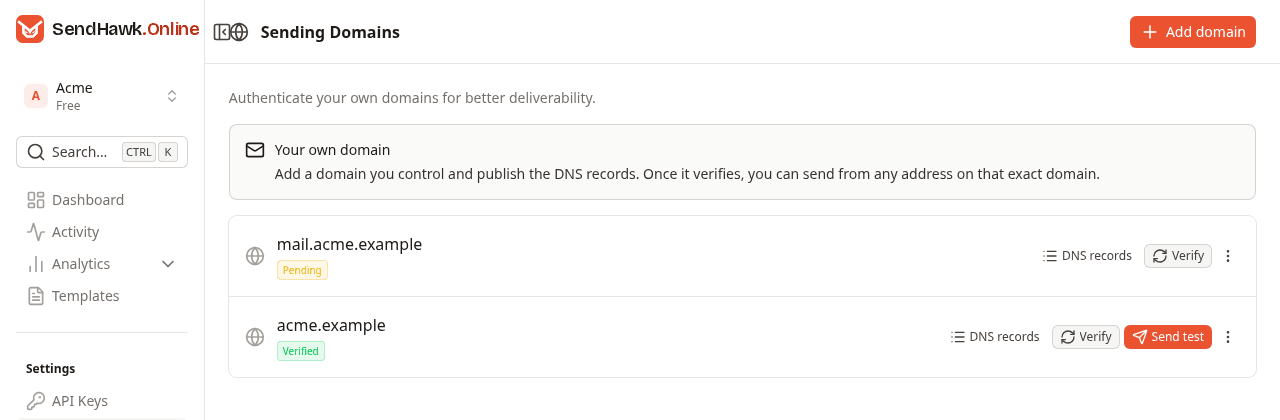
The Domains guide walks through every control on this page.
DNS records
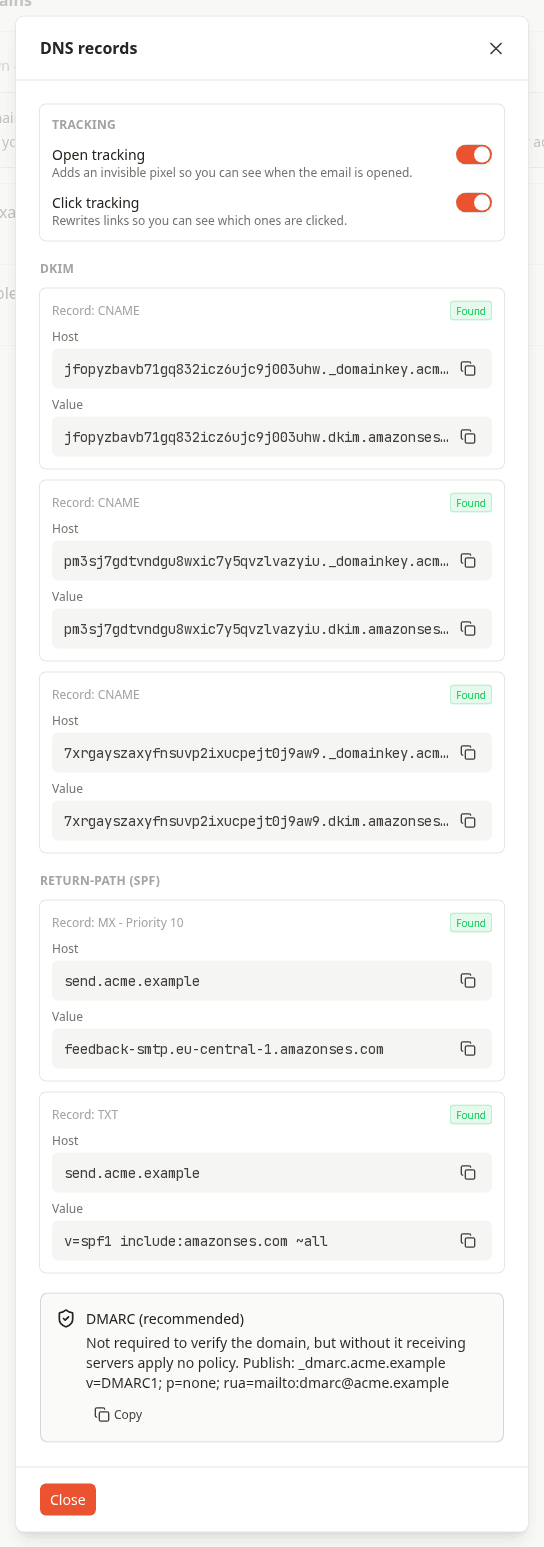
Each domain gets five records. The dashboard shows the exact values for your domain with a copy button next to each, under DNS records; the tables below show their shape, with yourdomain.com standing in for your domain.
DKIM
Three CNAME records let Amazon SES sign every message with a key it manages and rotates for you (Easy DKIM). These records are what verifies the domain.
| Type | Host | Value |
|---|---|---|
CNAME | <token1>._domainkey.yourdomain.com | <token1>.dkim.amazonses.com |
CNAME | <token2>._domainkey.yourdomain.com | <token2>.dkim.amazonses.com |
CNAME | <token3>._domainkey.yourdomain.com | <token3>.dkim.amazonses.com |
Return path (SPF)
Two records at send.yourdomain.com make that subdomain the envelope sender (the custom MAIL FROM domain). Bounces go back to it, and SPF is checked against it, so SPF passes for your own domain instead of amazonses.com.
| Type | Host | Priority | Value |
|---|---|---|---|
MX | send.yourdomain.com | 10 | feedback-smtp.eu-central-1.amazonses.com |
TXT | send.yourdomain.com | v=spf1 include:amazonses.com ~all |
These live on the send subdomain, so they never touch the MX or SPF records of yourdomain.com itself: your existing mail keeps working.
DMARC (recommended)
DMARC is not required to verify the domain, and SendHawk.Online does not create it. Without it, receiving servers apply no policy to mail that fails authentication. A safe first record collects reports without affecting delivery:
| Type | Host | Value |
|---|---|---|
TXT | _dmarc.yourdomain.com | v=DMARC1; p=none; rua=mailto:dmarc@yourdomain.com |
Make sure the rua mailbox exists. Once the reports show that everything sending as your domain passes, tighten the policy to p=quarantine or p=reject. A domain has one DMARC record: if _dmarc.yourdomain.com already exists, keep it rather than adding a second.
Verify
After publishing the records, click Verify on the domain. SendHawk.Online asks Amazon SES what it has found, and updates the domain and each record:
| Status | Meaning |
|---|---|
| Pending | The records have not been found yet. This is normal right after adding a domain, not a failure. |
| Verified | The DKIM records were found. The domain can send. |
| Failed | Amazon SES reported that it could not verify the records. |
Each record shows Found or Waiting. The DKIM records and the return-path records are checked separately: a domain is verified, and can send, as soon as DKIM is found. Until the MX record at send.yourdomain.com is found, Amazon SES keeps using its own return path, so sending works but SPF does not align with your domain yet.
Verification often completes within minutes of publishing the records. Amazon SES documents that, in rare cases, it can take up to 72 hours for the records to become visible to it. The status changes when you click Verify, so check back later if it is still pending.
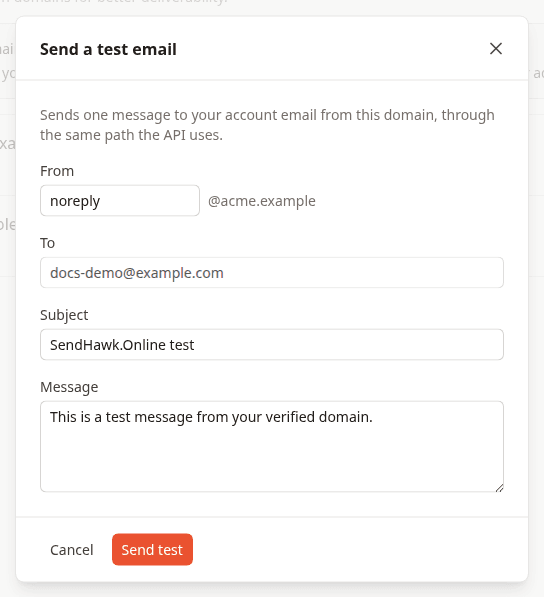
To check a domain end to end, use Send test on a verified domain. It sends one message to your account email through the same path the API uses.
Troubleshooting
The name ends up doubled. Many DNS providers append your domain to the name you type. If you enter the full host abc._domainkey.yourdomain.com, the record can end up as abc._domainkey.yourdomain.com.yourdomain.com. If your provider does that, enter only the part before your domain, for example abc._domainkey and send.
You use Cloudflare. Set the three DKIM CNAME records to DNS only (grey cloud), not proxied. Cloudflare recommends DNS only for email and domain verification records.
Check what the world sees. Query the records yourself; each command should print the value from the dashboard:
dig +short CNAME <token1>._domainkey.yourdomain.com
dig +short MX send.yourdomain.com
dig +short TXT send.yourdomain.com
There is already an SPF record at send.yourdomain.com. A name can carry only one SPF record. Merge the include:amazonses.com mechanism into the existing record instead of adding a second TXT record that starts with v=spf1.
The send API answers 422 The "from" domain is not verified for sending in this workspace. The domain after the @ in from must exactly match a domain that is Verified in the workspace your API key belongs to. Check for a typo, for a subdomain you have not added, and for a domain that was verified in a different workspace.
The status is Failed. Correct the records, wait for DNS to update and click Verify again. If it stays failed, delete the domain and add it again: that issues a new set of DKIM records to publish.