Billing, plans and limits
Settings > Billing shows the current workspace's plan and how much of it this month has used. Online payments are not live yet, so there is no card to add and no invoice to download. Every member can see the page.
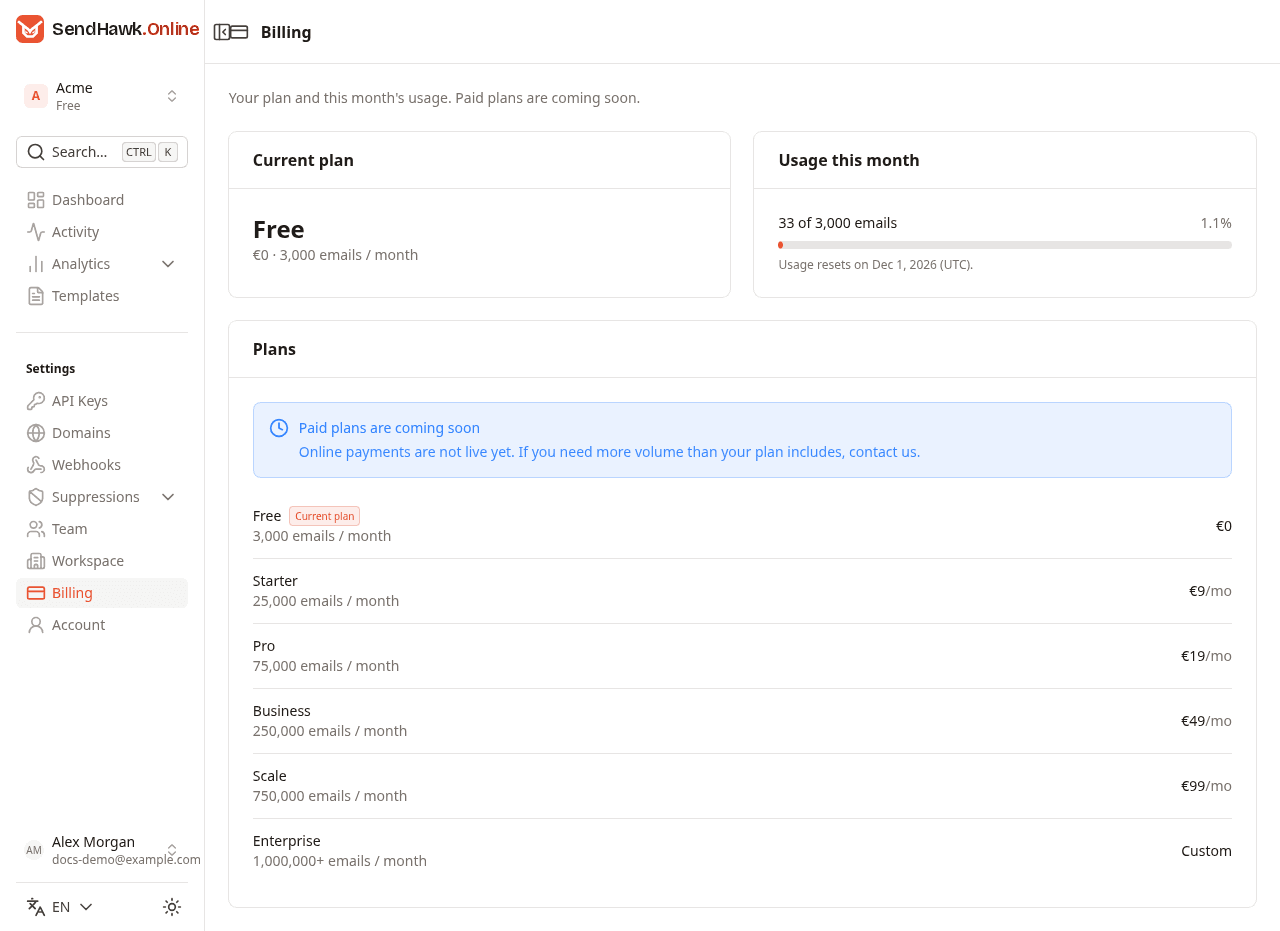
Current plan
The plan's name, price and monthly volume. Each workspace has its own plan, and every new workspace starts on Free.
Usage this month
- N of LIMIT emails: the emails the workspace has sent this calendar month (UTC), against the plan's monthly volume, with the share as a percentage.
- The bar turns yellow at 80% and red at 100%. Past the volume, the card says "This workspace has sent more this month than its plan includes."
- Usage resets on: the first day of next month, at midnight UTC.
The number is the same as Sent this month on the dashboard.
The monthly volume is a hard cap
Until paid plans launch, a plan's monthly volume is a hard limit, not a target. Once the workspace has sent that many emails in the current UTC month, every further send is refused until the month ends:
- The API answers
429withMonthly sending limit of 3000 emails reached for your plan(with your plan's number). - Test sends from the dashboard are refused the same way.
Each email counts once, however many recipients it has. Emails that were refused, for example to a suppressed address, do not count. The count starts again on the 1st of the month, at midnight UTC.
All workspaces share the sending reputation of one Amazon SES account, which is why the volume is enforced strictly.
Plans
| Plan | Emails per month | Price |
|---|---|---|
| Free | 3,000 | EUR 0 |
| Starter | 25,000 | EUR 9 a month |
| Pro | 75,000 | EUR 19 a month |
| Business | 250,000 | EUR 49 a month |
| Scale | 750,000 | EUR 99 a month |
| Enterprise | 1,000,000 or more | Custom |
You cannot change the plan yourself yet. When SendHawk.Online has a contact address set up, the page shows Upgrade plan on your current plan, Upgrade or Contact us next to each other plan, and Contact us in the "Paid plans are coming soon" note. Each opens an email to SendHawk.Online with your workspace's name and ID filled in. The pricing page lists what each plan includes.
Limits
| Limit | Value | When it is reached |
|---|---|---|
| Emails per month | Your plan's volume, see above | 429 until the 1st of next month, UTC |
| API requests | 10 per second per API key, every request counts | 429 with a Retry-After header, see Errors and limits |
| Recipients per email | 50 across to, cc and bcc | 400 |
| Team invitations | 20 per hour per person who invites | The invitation is refused; try again later |
| Sign-in attempts | 10 per address and 30 per network in 10 minutes | "Too many attempts. Wait a few minutes and try again." |
| Password changes | 10 per person in 10 minutes | The change is refused; try again later |
| Password reset and confirmation emails | 3 per address per hour | The request is refused; the earlier link still works |
| Domains, templates, webhook endpoints, team members | No limit is enforced |
The plans on the pricing page list a number of team members and other features; today the monthly volume is the only plan limit SendHawk.Online enforces.
Workspace settings
Rename the workspace, set the sender name and reply-to address every email falls back on, and delete a workspace you no longer need.
Account and security
Sign up and sign in, keep your profile current, change your password, turn on two-factor authentication, confirm your email and reset a forgotten password.