Activity and email statuses
Activity lists the emails the workspace has sent, newest first, whether they came from the API or from a test in the dashboard. Every member can see it, whatever their role.
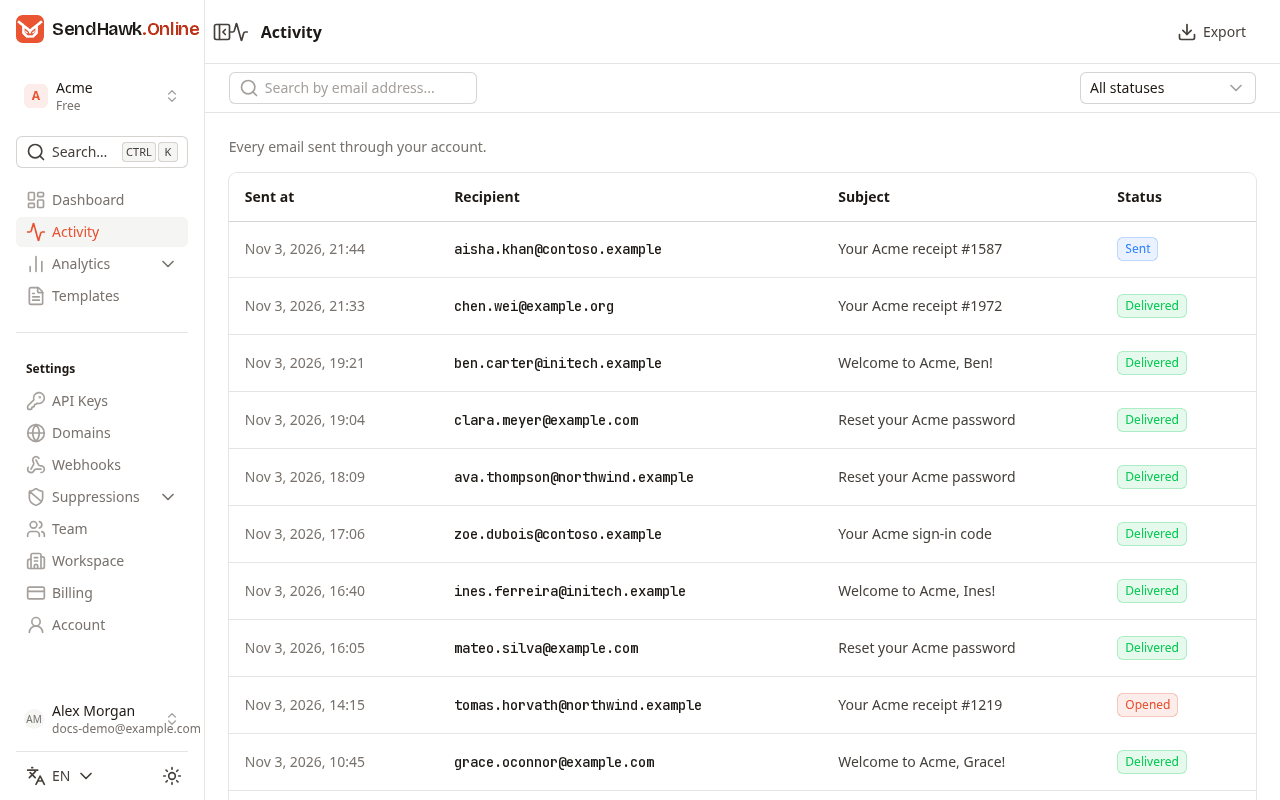
| Column | What it shows |
|---|---|
| Sent at | When the email was sent, in UTC. |
| Recipient | The first to address. The email's page lists every recipient. |
| Subject | The subject as sent, with merge tags filled in. |
| Status | Where the email is now, see Statuses. |
The list shows the 50 newest emails of the last 30 days. Click a row to open the email.
Search and filter
- The search box narrows the list to emails whose recipient or subject contains what you type. It searches the emails already in the list, so it finds an email only among those 50.
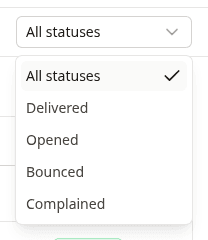
- The status filter asks for emails with one status: Delivered, Opened, Bounced or Complained, or All statuses. It filters on the email's current status, so an email that was opened and then clicked counts as Clicked and does not show under Opened.
Export at the top downloads the emails the list shows, with the status filter and search applied, as a CSV file (id, sent at, to, from, subject, status).
An email's page
Click an email to see everything SendHawk.Online recorded about it:
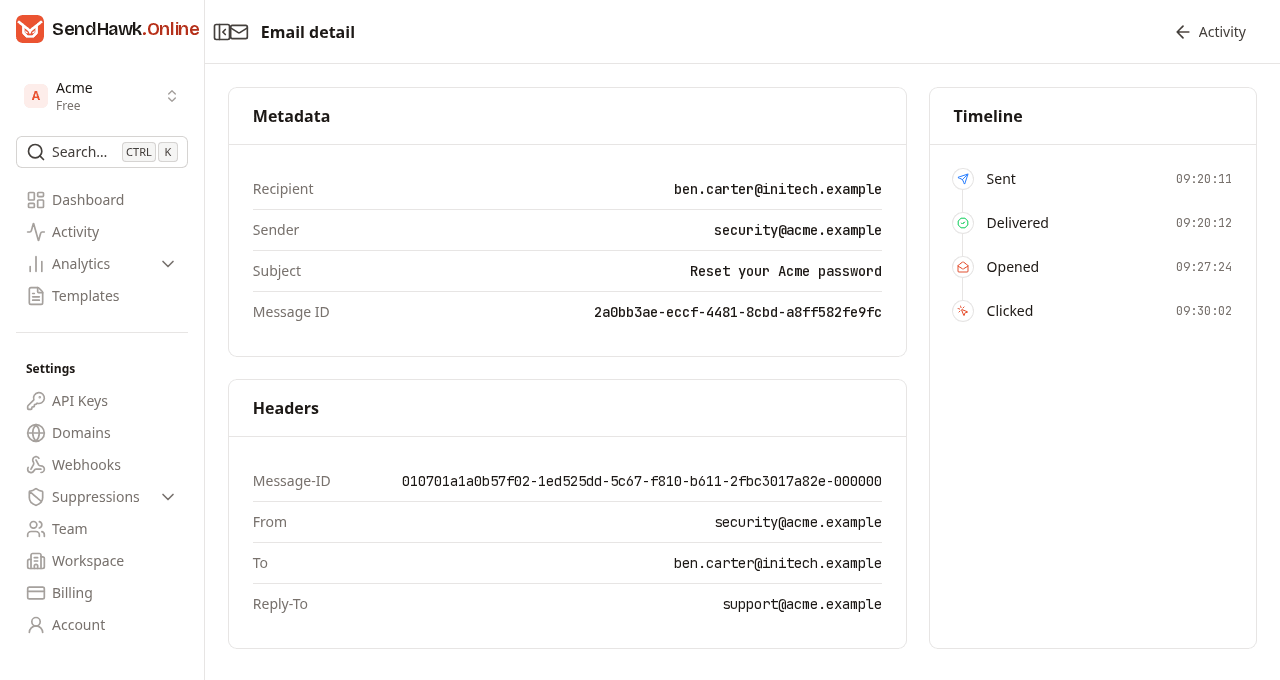
- Metadata: the recipient, the sender address, the subject and the Message ID. The message ID is the
idthe API returned when the email was sent, the one you pass to Retrieve email and that webhook events carry asmessageId. - Headers: the
Message-IDAmazon SES gave the email,From, everyToaddress, andCc,BccandReply-Towhen the email had them. The reply-to is the one from the request, or the workspace's default reply-to. - Timeline: each event in the order it happened, with its time of day in UTC.
Activity at the top takes you back to the list. The email's body is not stored, so it cannot be shown or sent again from here.
A bounced email's timeline ends with the bounce. For a soft bounce that can come hours after it was sent, once Amazon SES has stopped retrying:
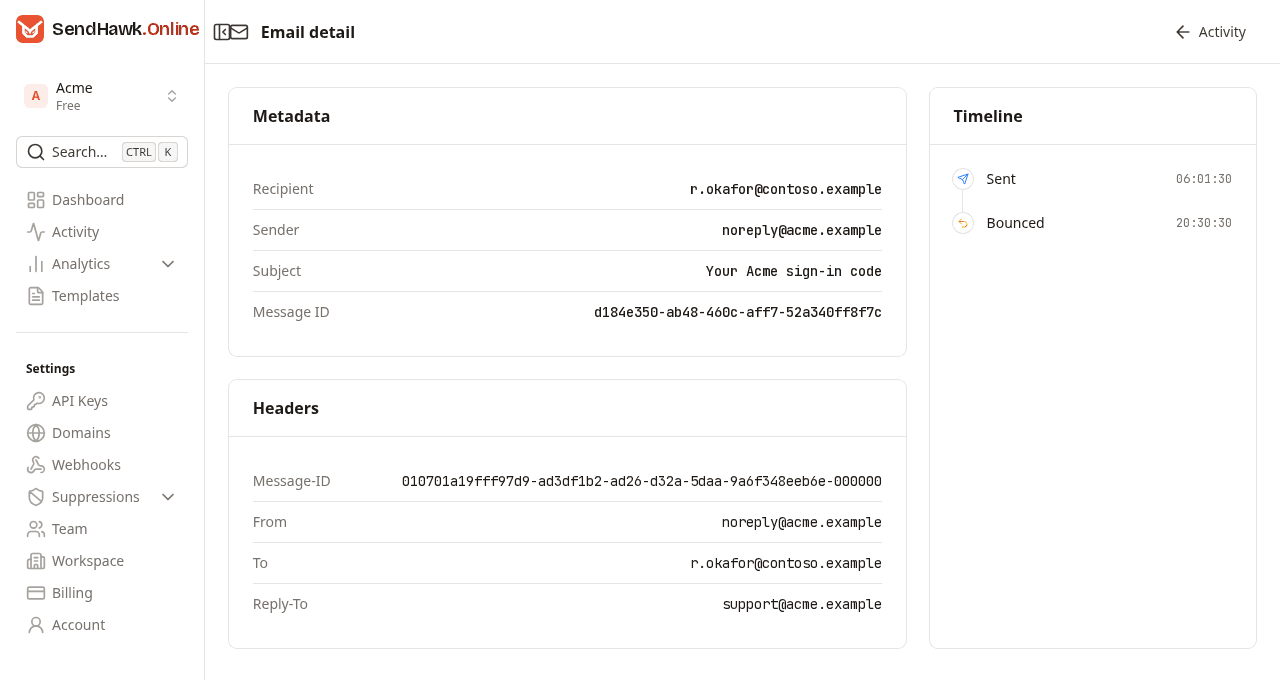
The reason for a bounce is on the Bounces list, where the address was added.
Statuses
An email's status is the latest event recorded for it. The same names appear on the timeline, in Retrieve email and as webhook event types.
| Status | Meaning | Comes from |
|---|---|---|
| Sent | Amazon SES accepted the email for delivery. Every email starts here. | SendHawk.Online, when the send succeeds |
| Delivered | The recipient's mail server accepted the email. | Amazon SES |
| Opened | The recipient's mail client loaded the email's images. Only with open tracking. | Open tracking |
| Clicked | The recipient clicked a link in it. Only with click tracking. | Click tracking |
| Bounced | The recipient's server rejected it, permanently (hard) or after Amazon SES gave up retrying (soft). The address is now suppressed. | Amazon SES |
| Complained | The recipient marked it as spam. The address is now suppressed. | Amazon SES, from the mailbox provider |
| Queued | Accepted but not handed to Amazon SES yet. | Reserved: today's sends go straight to Sent |
| Failed | Could not be handed to Amazon SES. | Reserved: a send that fails is refused with an error and no email is created |
Events can arrive out of order. A delivery report can reach SendHawk.Online after the first open, for example, and the status then reads Delivered while the timeline holds both.
An email stays Sent until another event is recorded for it.