Webhooks
A webhook endpoint is a URL on your server that SendHawk.Online calls when something happens to an email. Settings > Webhooks is where you add endpoints and watch their deliveries. Webhooks in the developer docs describes the requests themselves and how to verify their signatures.
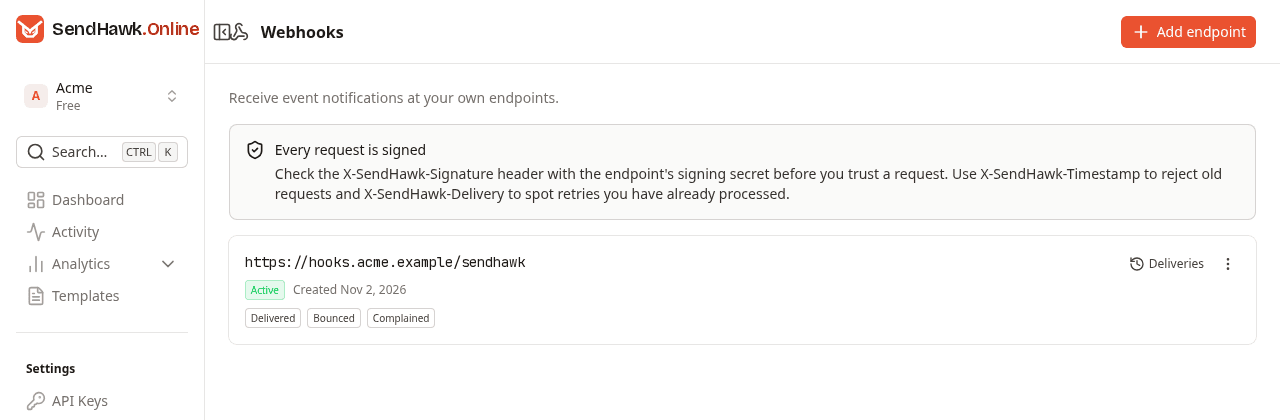
Each endpoint shows its URL, its status, when it was created, and the events it receives:
| Status | Meaning |
|---|---|
| Active | Events are sent to it, and the latest delivery that was attempted succeeded (or none was attempted yet). |
| Failing | Events are sent to it, but the latest delivery that was attempted did not succeed. Open Deliveries to see why. |
| Disabled | Events are not sent to it. The dashboard has no switch for this; to stop an endpoint, delete it. |
Owners and admins add, test and delete endpoints. Developers and viewers see the endpoints and their deliveries, and the page tells them "Only workspace owners and admins can add, test or delete endpoints."
Add an endpoint
- Click Add endpoint.
- Enter the Endpoint URL. It must start with
https://and be reachable from the public internet. - Tick the Events to send to it. Pick at least one.
- Click Add endpoint.
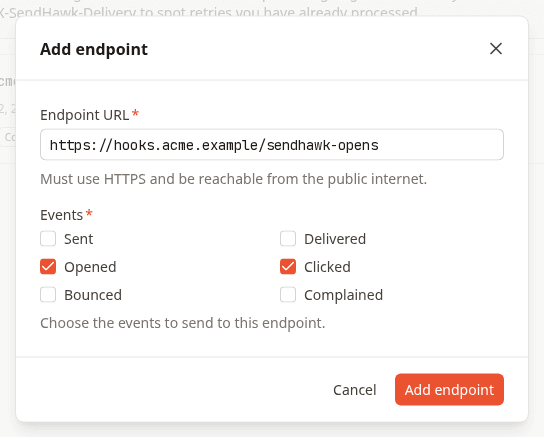
| Event | Sent when |
|---|---|
| Sent | Amazon SES accepted an email. |
| Delivered | The recipient's server accepted it. |
| Opened | It was opened, once per email. Needs open tracking. |
| Clicked | A link in it was clicked, once per link per email. Needs click tracking. |
| Bounced | It bounced. |
| Complained | The recipient reported it as spam. |
Before accepting the URL, SendHawk.Online looks up its host name. The dialog says what is wrong, under the field, when the URL:
- does not start with
https://; - contains a user name or password;
- uses a local or single-label host name such as
localhostormyserver; - has a host name that cannot be found;
- points to a private, loopback or otherwise internal address;
- is longer than 2,048 characters.
The same check runs again before every delivery, because DNS can change.
Save the signing secret
Once the endpoint is added, the dialog shows its signing secret, once:
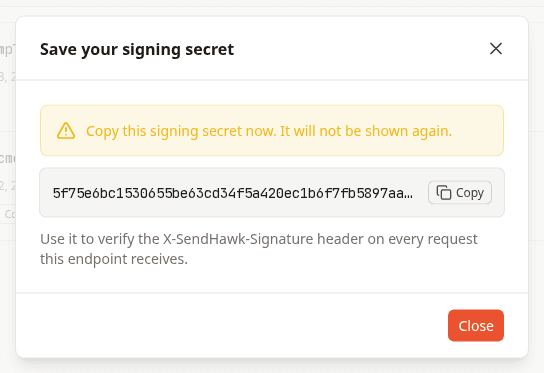
Click Copy and store the secret next to your other secrets, for example as SENDHAWK_WEBHOOK_SECRET. The dialog does not close when you click beside it, only with Close or its close button, and after that the secret cannot be shown again. If you lose it, delete the endpoint and add it again, which issues a new secret.
Your server uses the secret to check that a request really comes from SendHawk.Online: see Verify signatures.
Send a test event
Open the menu (three dots) on the endpoint and choose Send test event, or use the button at the bottom of Recent deliveries:
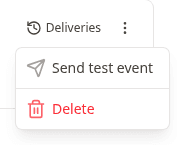
A delivery of type test is queued, and "It will be sent to this endpoint within a minute." Its body has "type": "test" and "data": { "test": true }, and it is signed and retried exactly like a real event, so a test that arrives and verifies means real events will too. One test at a time: while a test is still waiting to be sent, the button answers "A test event is already waiting to be sent to this endpoint."
Recent deliveries
Click Deliveries on an endpoint:
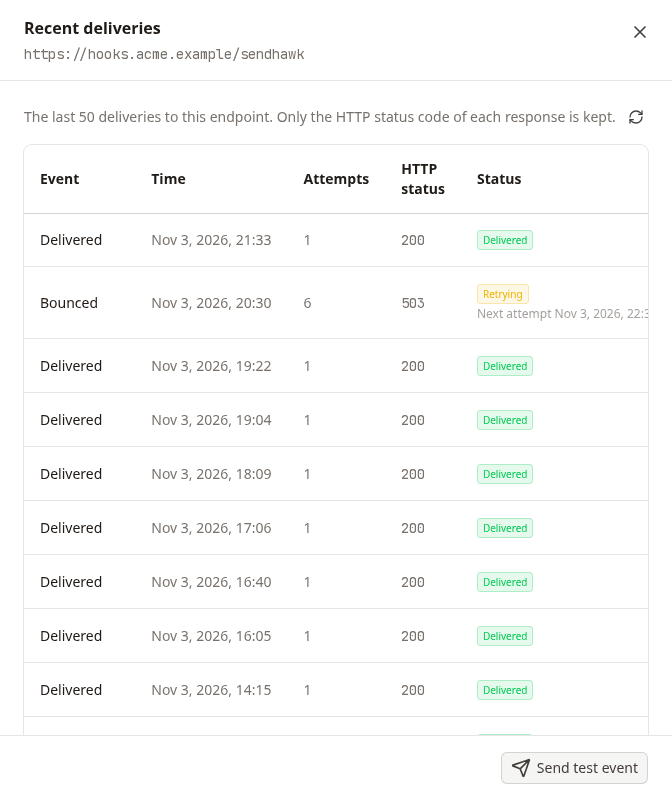
The panel lists the last 50 deliveries to the endpoint, newest first. The button next to the description reloads the list.
| Column | What it shows |
|---|---|
| Event | The event type, or Test event. |
| Time | When the delivery was queued, right after the event was recorded. |
| Attempts | How many times it was sent so far. |
| HTTP status | The status code your server answered on the latest attempt, or - when no answer came (a timeout, a refused connection, a host that could not be found). |
| Status | Pending: not sent yet. Retrying: failed at least once and will be sent again; the time of the next attempt is shown under it. Delivered: your server answered with a 2xx status. Failed: still failing after 10 attempts, so no more are made. |
Only the status code of each answer is kept, never its body.
How retries work
- Deliveries go out within a minute of the event.
- Any
2xxanswer is a success. Anything else is a failure, including redirects, which are never followed, and no answer within 5 seconds. - A failed delivery is tried again after 2 minutes, then 4, 8, 16 and so on, doubling up to at most 6 hours between attempts, for 10 attempts in all.
Every retry carries the same X-SendHawk-Delivery header, so your server can recognize a delivery it already processed.
Delete an endpoint
Open the menu (three dots) and choose Delete, then confirm. Events stop being sent to the URL immediately, and its delivery history is removed. This cannot be undone.